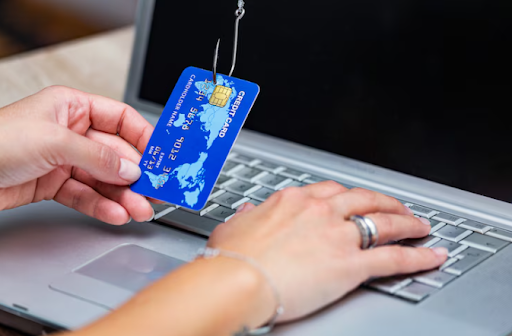
Phishing attack news continues to dominate headlines, with cybercriminals launching increasingly sophisticated scams that compromise individuals and organizations alike. These attacks often lead to financial loss, data breaches, and growing concerns about digital safety. Understanding how to recognize and guard against phishing has never been more critical.
This blog post offers a practical guide to protecting yourself from phishing attacks. You'll learn how phishing works, the latest tactics hackers use, warning signs to watch for, and actionable steps to keep your data and money safe. Plus, we’ll briefly touch on the rising threat of ransomware and what recent ransomware reviews reveal about the changing landscape of cybercrime.
What Is a Phishing Attack?
Phishing is a form of cybercrime where attackers impersonate legitimate institutions via email, SMS, phone calls, or websites. Their goal is to trick you into revealing sensitive information, such as passwords, credit card numbers, or corporate credentials. These details are then used for financial theft, identity fraud, or as a gateway to larger ransomware attacks.
Why Are Phishing Attacks Increasing?
The Phishing attack news has been on the rise for several reasons:
- Remote Work Expansion: With more people working from home, attackers exploit weaknesses in personal networks and devices.
- More Digital Touchpoints: Online shopping, banking, and communications give phishers plenty of opportunities.
- Evolving Tactics: Hackers constantly update phishing emails, websites, and even phone scams to appear more authentic and harder to detect.
According to the FBI’s 2023 Internet Crime Report, phishing was the most common cybercrime, accounting for over 300,000 reported incidents in the U.S. alone.
How Do Phishing Attacks Work?
To defend yourself, it’s vital to understand how a phishing scheme typically unfolds:
Step 1: Baiting the Hook
- Email Phishing is the most popular form. An email arrives, looking as if it’s from your bank, employer, or favorite e-commerce site. It may urge immediate action, like “Verify your account before it’s closed.”
- SMS Phishing (Smishing) uses text messages to trick you, often claiming you’ve won a prize or have a delivery on hold.
- Voice Phishing (Vishing) involves fake calls claiming to be from tech support or government agencies.
Step 2: The Lure
- The communication contains a link or attachment. Clicking it may take you to a fake website or deploy malware onto your device.
- The website will mimic a trusted portal, requesting your credentials or personal information.
Step 3: The Catch
- Once your data is submitted, attackers can access your bank accounts, corporate systems, or sell the information on the dark web.
- Increasingly, phishing is used to deploy ransomware, locking up your files until a ransom is paid.
Key Warning Signs of a Phishing Attack
Being vigilant is your first line of defense. Here are clear red flags:
- Urgent or Threatening Language: “Your account will be suspended if you don’t respond now.”
- Unusual Sender Address: Slight misspellings or extra characters (e.g., “paypa1.com” instead of “paypal.com”).
- Unexpected Attachments: Especially ZIP files, PDFs, or Microsoft Office documents.
- Suspicious Links: Hover over links without clicking to view the real destination.
- Generic Greetings: Using “Dear User” instead of your name.
- Poor Spelling and Grammar: Professional organizations rarely send emails with typos.
Types of Phishing Attacks to Watch For
Hackers adapt their methods constantly. Here’s an overview of common and emerging phishing tactics from recent ransomware reviews and phishing attack news:
1. Spear Phishing
Targeted attacks aimed at a specific person or company. Attackers often use personal details gathered from social media to add credibility.
2. Business Email Compromise (BEC)
Fraudsters pose as company executives or vendors, tricking staff into wiring money or disclosing confidential data.
3. Clone Phishing
Attackers duplicate a legitimate message, replacing its attachment or link with a malicious version, then resend it from a spoofed address.
4. Whaling
Aimed at high-profile targets such as CEOs or CFOs, these attacks mimic official communications like subpoenas or vendor invoices.
5. Ransomware-Delivering Phishing
Phishing emails now often carry ransomware payloads. Recent ransomware review research highlights a surge in attacks where victims unknowingly download malware by clicking on a link or file.
How to Protect Yourself from Phishing Attacks?
Staying informed and adopting a security-first mindset is vital for avoiding phishing traps. Here’s how to boost your defenses:
1. Check the Sender
Always verify the sender’s email address, especially if an email asks for any form of personal or financial information. If the message is unexpected or slightly off, contact the sender using a separate channel.
2. Inspect Links Before Clicking
Hover your mouse over any links (without clicking) to preview the destination. If you spot a misspelled or strange domain, don’t proceed.
3. Avoid Downloading Suspicious Attachments
Be wary of unsolicited attachments—even those from coworkers. When in doubt, confirm via phone or another trusted method.
4. Use Strong, Unique Passwords
Reusing passwords puts multiple accounts at risk. Use a password manager to generate and store complex passwords.
5. Enable Multi-Factor Authentication (MFA)
MFA adds an extra step when logging in, making it much harder for hackers to access your accounts, even if they know your password.
6. Keep Software Updated
Cybercriminals often exploit unpatched vulnerabilities. Enable automatic updates for your operating system, browsers, and apps.
7. Educate Yourself and Your Team
Regular training on the latest phishing techniques pays dividends, especially for organizations. Simulated phishing exercises help keep everyone sharp.
8. Use Security Software
Install reputable antivirus and anti-phishing tools. Many security suites can detect and block dangerous links and malware.
9. Report Suspicious Activity
If you receive a suspicious email, report it to your IT department or the organization being impersonated. Prompt reporting helps disrupt scams and protects others.
Ransomware Review: Phishing’s Dangerous New Partner
Ransomware and phishing attacks are increasingly inseparable. According to a 2024 ransomware review by security firm Sophos, 70% of ransomware attacks last year originated from phishing emails. Hackers use phishing to gain access and deploy ransomware, encrypting files and demanding costly ransoms.
The real cost goes beyond ransom payments. Victims often face downtime, lost data, regulatory penalties, and a loss of customer trust. Adopting anti-phishing best practices is now a critical aspect of any comprehensive ransomware defense strategy.
What To Do If You Fall for a Phishing Attack?
Mistakes happen—even seasoned professionals are duped from time to time. Here’s how to mitigate damage:
- Change Compromised Passwords: Immediately update credentials for affected accounts.
- Notify Your Bank or Credit Card Company: They can monitor for fraudulent activity and may freeze or reissue cards.
- Scan for Malware: Run a complete antivirus scan to catch any installed malware.
- Alert Your IT or Security Team: Early intervention may limit the spread of ransomware or further attacks.
- Report to Authorities: The FBI Internet Crime Complaint Center (IC3) accepts phishing and cybercrime reports. Your actions can help build public awareness.
Strengthening Your Digital Resilience
Staying ahead of phishing attacks requires continuous vigilance. Keep up with the latest phishing attack news, invest in regular security training, and take proactive steps to secure all digital accounts. Watch for reports and ransomware review from trusted cybersecurity firms. The more you know and prepare, the less likely you are to fall victim to the next attack.
Add comment
Comments